Logiciels & PMS
Booking.com no longer transmits phone numbers: what this means for hotels
4
min de lecture
-
09 October 2026
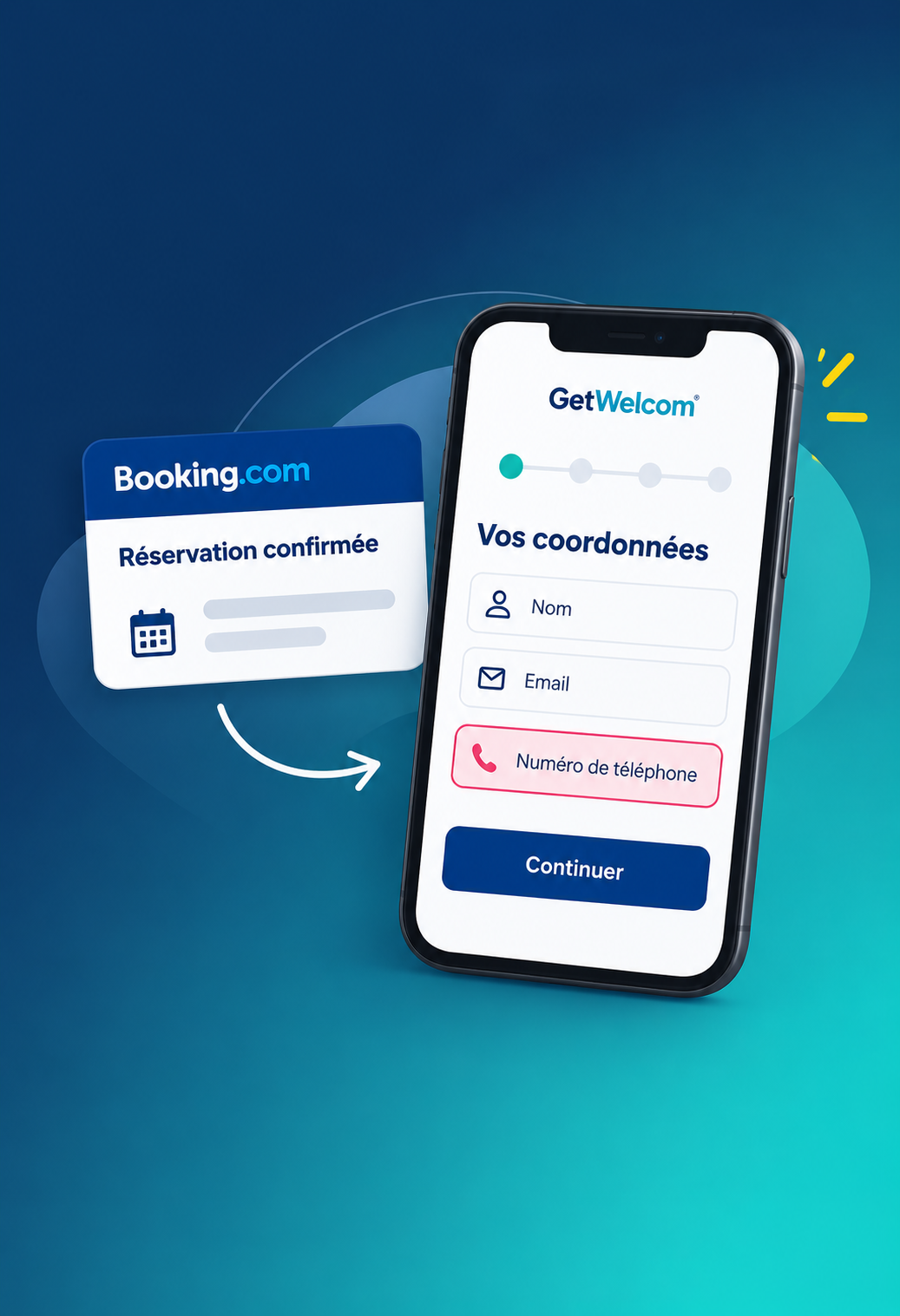
Since September 28, 2026, Booking.com no longer automatically includes guest phone numbers in the reservation data sent to PMS, channel managers, and other connectivity partners. Hotels that relied on this data for pre-stay communications must now adapt their workflows.
With GetWelcom, online check-in allows you to request missing contact details directly from guests before they arrive. Phone numbers and email addresses are saved in GetWelcom and can then be synced with your PMS, depending on the integration used.
Before this date, a Booking.com reservation sent to a PMS typically included the guest's name, their Booking email alias, their phone number, and stay-related information.
Since September 28, Booking.com has removed phone numbers from new reservation feeds for all properties.
This measure applies to new bookings, modifications, cancellations, and new feeds generated for previous reservations. Numbers transmitted before this date remain in the systems that received them.
All other reservation data continues to be transmitted as usual.
Hotels can still retrieve the number within Booking tools when necessary. The change primarily affects systems connected to the PMS: phone numbers no longer automatically populate guest profiles.
The impact depends on how the number was being used prior to the change.
Some properties used it to send pre-arrival SMS messages, contact guests via WhatsApp, request arrival times, provide access codes, or trigger check-in automations.
When these actions relied on the number received automatically from Booking.com, the process may now be interrupted.
Manual retrieval from Booking is still possible for a few reservations, but it quickly becomes time-consuming when the front desk handles a high volume of arrivals.
This development makes it even more essential to establish a direct relationship with OTA guests before they arrive.
The GetWelcom online check-in process takes place directly during the pre-stay journey.
The guest receives a pre-filled form via email or OTA messaging. They can review the information already on file and fill in any missing details, specifically their phone number and direct email address.
The process works as follows:
Booking.com reservation → invitation to GetWelcom check-in → contact details completed by the guest → data saved in GetWelcom → PMS updated based on the integration
The The GetWelcom pre-check-in form allows the hotel to choose which information to request from the guest. GetWelcom also indicates that data can be synchronized with the PMS when supported.
The team no longer needs to manually look up each number in the Extranet to complete their pre-arrival workflow.
Check-in is used to complete the guest profile. The GetWelcom Guest App then provides a way to maintain a digital point of contact with the guest.
It is accessible before and during the stay, centralizing useful information, hotel services, and ways to contact the staff.
Guests can start their GetWelcom journey using the link received before arrival, complete their check-in, and then access the property's content and services through the same digital experience.
This continuity is particularly useful for OTA bookings: the hotel gains a guest relations space that functions beyond the information initially provided by Booking.com.
GetWelcom already combines the Guest App and online check-in in its PMS integrations: pre-filled forms, guest information updates, and the retrieval of email addresses from OTAs are all part of the features offered.
Let's take a Booking.com reservation that arrives in the PMS without a phone number.
Without an additional process, a receptionist who needs to call the guest must look up their number in Booking.com. Automated SMS or WhatsApp messages may also be blocked if they are waiting for this data.
With GetWelcom, hotels can use OTA messaging or the available email address to send pre-check-in invitations. Guests then enter the requested information themselves.
From there, the team has an enriched profile in GetWelcom, and depending on the PMS integration, data can be synced back to the tools used by the property.
The primary benefit is operational: data collection is integrated into a step the guest is already completing before arrival.
Collecting phone numbers is part of a broader guest journey.
The GetWelcom check-in can be sent automatically before the stay. The guest completes their information, the hotel prepares their file, and relevant data is centralized before arrival.
The same process can also be used to manage police registration forms, offer extras, or prepare information needed for the front desk.
To structure other communications sent before the stay, our article on the pre-stay email complements this approach.
The advantage for the hotel is turning pre-check-in into a tool for data collection and stay preparation, rather than just an administrative formality.
Phone numbers or email addresses provided during check-in can be used for the purposes communicated to the guest regarding their stay.
Marketing communications are subject to different rules. An address collected to organize an arrival does not automatically grant permission for all marketing purposes.
Our article Digital check-in and GDPR: what data should you collect? details this distinction, while our guide on GDPR applied to guest data in the hospitality industry covers the subject more broadly.
This step is important when the hotel directly enriches a listing coming from an OTA.
Take a recent Booking reservation and see where the number was used in your tools.
If an SMS, WhatsApp message, or other automation relied on this data, check how the workflow reacts when it is missing.
Next, check your GetWelcom/PMS integration: form fields, synchronized data, and the channel used to send the check-in link.
This will allow you to keep only the automations that remain useful and have missing contact details collected directly during the pre-arrival process.
With the online check-in and GetWelcom Guest App, your Booking.com guests can complete their contact details before arrival, then access your property's information and services from the same digital journey.
The data is saved in GetWelcom and can be updated in your PMS depending on the integration used.