Logiciels & PMS
Holiday village: how to centralize guest information and services?
5
min de lecture
-
19 November 2026
In a holiday village, information useful for a stay comes from several teams: reception, entertainment, catering, kids' clubs, or technical services.
When information is scattered across posters, paper documents, and various touchpoints, guests have to hunt for the right details, and staff often end up answering the same questions repeatedly.
Centralizing this content provides a single access point for site maps, schedules, activities, services, and bookings available during the stay.
Reception knows the arrival and departure times. The entertainment team manages the weekly program. The restaurant shares its menus and opening hours. Kids' clubs have their own activities and registration procedures.
Before digitizing this content, you need to know where it is and who uses it.
For a few days, keep track of the information distributed at the front desk, posted around the site, printed in accommodations, or communicated verbally to guests.
This first step quickly helps identify duplicates. For example, pool hours might appear on a poster, in a paper booklet, and in an email sent before arrival. If the schedule changes, three different sources have to be updated.
A digital room directory for holiday villages allows you to group schedules, site maps, entertainment, services, and useful contacts into a single environment accessible to guests.
The information structure should not mirror the village's organizational chart.
A guest looking for the time of the evening show doesn't necessarily know whether that information falls under the entertainment department, reception, or an outside provider.
It is more useful to organize content around concrete situations:
This logic also makes the team's work easier. Each section corresponds to an identifiable need and can be assigned to the person responsible for updating it.
The principle is similar to that used to organize a hotel room directory : information must be categorized according to what the traveler is looking for, so they can find it quickly.
Once the content is grouped together, the vacationer needs to know where to find it.
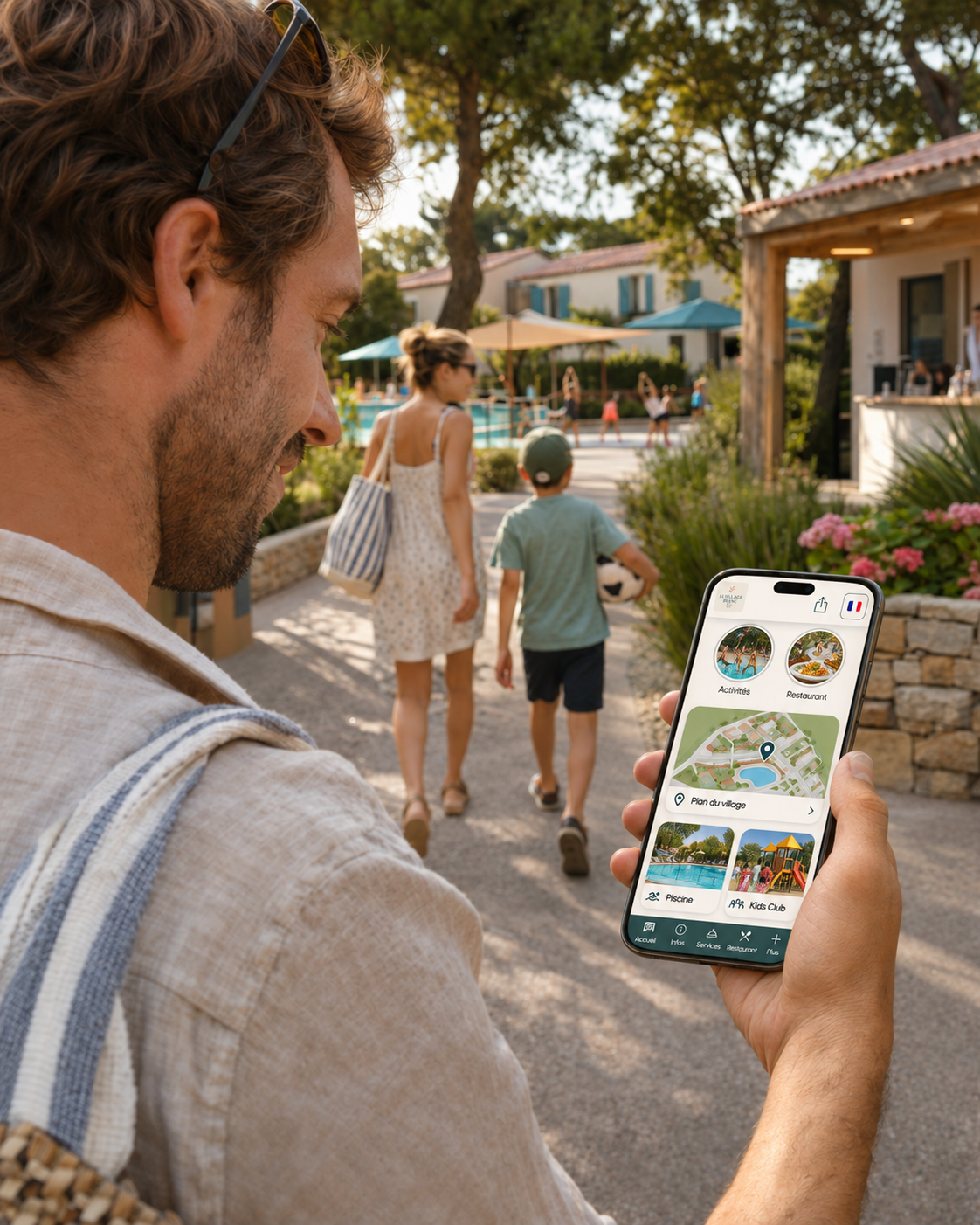
An A guest app for holiday villages can bring together the site map, opening hours, activities, restaurants, contacts, and services available during the stay. GetWelcom also allows this space to be used before arrival and accessed from the guest's phone.
The link can be sent in pre-stay communications and then remain accessible once on-site.
QR codes can supplement this access in areas where needs arise. At reception, they can open all the information. Near the restaurant, they can direct guests to opening hours or menus. Near the kids' club, they can provide access to the relevant program.
The article dedicated toQR code locations and content to display after scanning details this approach.
In a holiday village, the location of services is among the most important information for guests.
Upon arrival, a guest may need to find their accommodation, the pool, a sports field, a restaurant, the parking area, or the kids' club. A paper map provides a general overview, but it offers little detail about what each area has to offer.
The GetWelcom interactive map allows you to display accommodation and the village's main facilities. Each point can be linked to useful information for the stay.
External points of interest can also be added, such as beaches, markets, hiking trails, or partner activities.
This allows guests to keep the map on their phone throughout their stay, while the reception team can spend less time providing basic directions.
The entertainment schedule often changes throughout the week.
Kids' clubs, tournaments, group classes, shows, or excursions may be organized at different times and in various areas of the village.
The GetWelcom Guest App allows you to publish an up-to-date schedule and link bookings to the relevant activities.
Guests can browse the program, open an activity page, and find all the necessary information before booking.
For activities with limited capacity, the page can specify times, the target audience, any applicable fees, and registration procedures.
This organization is particularly useful for kids' clubs. Parents can check the program from their phones and plan their day around available slots.
Centralization isn't just for practical information.
A holiday village may offer a restaurant, excursions, equipment rentals, paid activities, or other additional services.
These services are more effective when they appear in the same environment as the rest of the stay information.
A guest checking an activity can immediately see its schedule and how to book it. Someone looking for the restaurant can find the menu or access requirements without switching platforms.
GetWelcom allows you to showcase the village's activities, excursions, and services within the Guest App.
This approach brings information closer to the desired action. It prevents available services from being underutilized simply because guests don't know where to find the necessary details.
Centralizing content does not mean that its management must fall to a single person.
Each team can retain responsibility for its own information.
The entertainment team can manage its schedule. The restaurant staff checks its hours and menus. The front desk keeps general information, arrivals, and departures up to date.
The key is knowing who is responsible when information changes.
Take an outdoor show scheduled for 9:00 PM. If the weather forces the team to move it, the person in charge must be able to quickly update the location and time in the medium used by guests.
GetWelcom allows you to update Room Directory and Guest App content from the back office.
Clear internal organization prevents conflicting versions between the front desk, signage, and digital platforms.
Holiday villages may host several nationalities during the same period.
Instructions, schedules, and activities must therefore remain understandable for guests who do not speak French.
GetWelcom offers multilingual management for the Guest App designed for holiday villages.
TheGetWelcom automatic translation also allows you to manage different versions of the same content.
Centralizing text makes updates easier here as well: when information changes, the team works from a common source rather than from several separately translated documents.
A digital platform will not be used in the same way by all vacationers.
Some will prefer to ask for information directly at the front desk. Others may have a dead battery, limited connectivity, or difficulty scanning a QR code.
Essential information must therefore remain available through other means when the situation requires it.
A printed map at the front desk, a few notices posted in relevant areas, or assistance from a staff member can complement the digital experience.
This approach aligns with the principles detailed in our article on the accessibility of the digital guest directory.
Once information is centralized, usage patterns allow for its organization to be gradually improved.
If the sitemap is frequently consulted, it should be made highly visible. If vacationers are regularly looking for activity schedules, this information can be moved up into the navigation menu.
Conversely, a rarely used section is worth examining: it may contain unhelpful content, have an unclear title, or be difficult to find.
The GetWelcom Guest App includes an analytics dashboard among its features.
This data can complement feedback from field teams. Questions asked at the front desk remain an excellent indicator for identifying information that is missing or difficult to find.
Before reorganizing all your materials, choose a few common situations and test them from a guest's phone.
Look for the restaurant. Find the evening program. Locate the kids' club. Check the pool hours. Then, try to book an activity.
Every step that requires searching through multiple sources or asking a staff member indicates information that should be better centralized.
This method allows you to gradually build an environment tailored to how the holiday village actually operates.
The GetWelcom Guest App for holiday villages brings together the site map, practical information, the activity schedule, and the services offered to guests. It can function independently or be integrated with a PMS for specific uses.
The Room Directory for holiday villages also allows you to structure stay information in a format accessible from the guest's phone.