Logiciels & PMS
Campsites: how to digitize your welcome and guest information?
5
min de lecture
-
12 November 2026
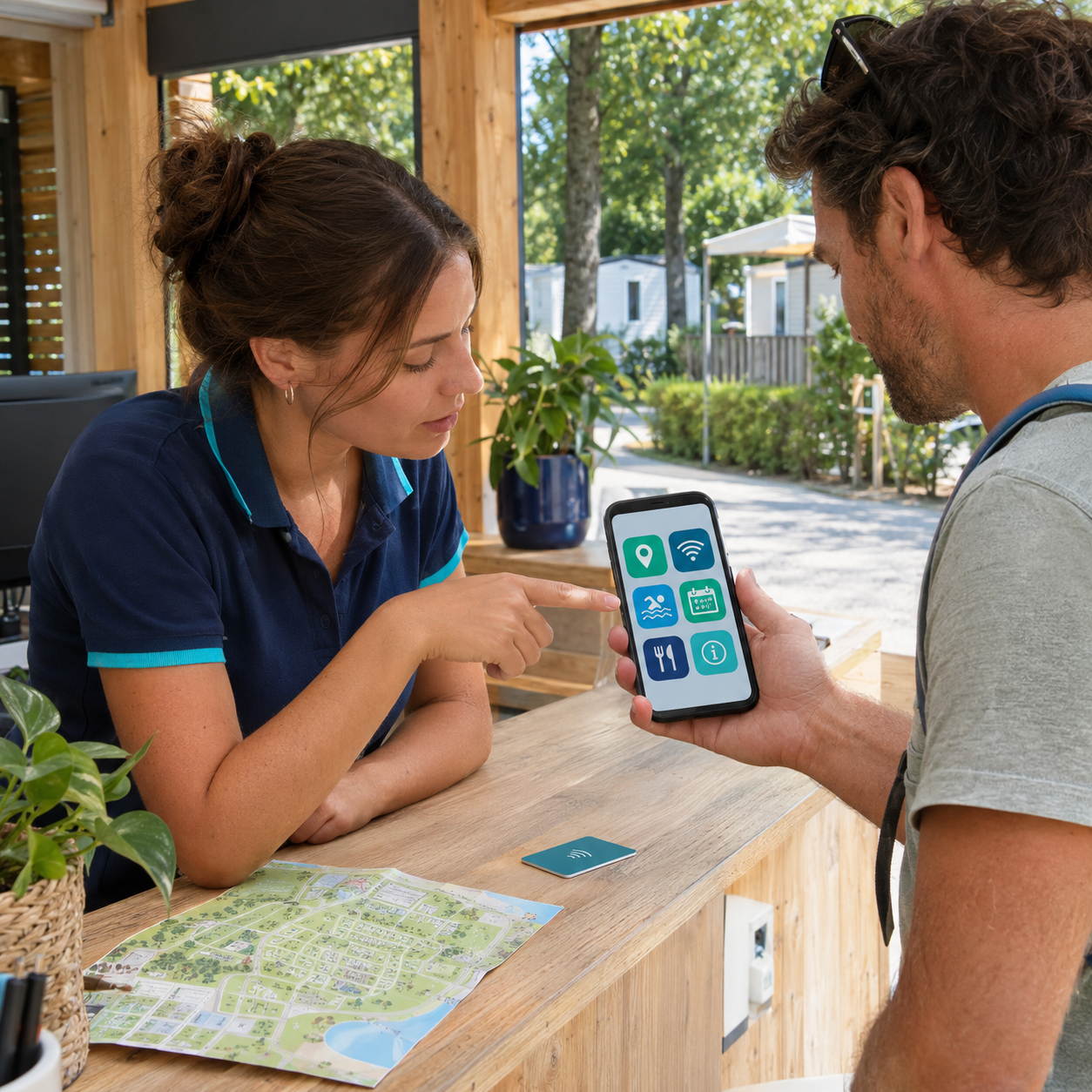
At a campsite, the reception desk is a hub for a vast amount of information: pool hours, rules, site maps, activities, Wi-Fi access, dining options, and checkout procedures. When this information is scattered across posters, flyers, and verbal explanations at the front desk, the same questions are asked repeatedly throughout the day.
A digital reception allows vacationers to access this information from their phones, both before they arrive and during their stay. For the team, the goal is to centralize the most frequently requested content and keep it easy to update.
Before choosing a tool, observe the questions the front desk receives on a daily basis.
At a campsite, these often concern facility hours, the site map, the activity schedule, house rules, dining, available services, or checkout procedures.
This content forms a solid foundation for building a digital guest directory for campsites.
A guest looking for the pool's closing time should be able to find the answer quickly. Specific requests or issues encountered during the stay will, of course, continue to be handled by the team.
It is also worth checking the consistency of your materials. If the pool is listed as open until 8:00 PM in the digital directory but until 7:00 PM on a poster, it will immediately generate another question at the front desk.
The welcome process can begin several days before the guest even reaches the front desk.
A link sent before the stay can provide the campsite address, arrival times, parking instructions, required documents, or guidelines specific to the booked accommodation.
The The GetWelcom campsite guest app works via a browser and can be opened using a link or QR code, with no app download required.
The guest then keeps the same access throughout their stay. This allows them to find practical information without having to search through old emails or keep returning to the reception desk.
For the team, interactions at the counter can focus more on questions specific to the guest's stay.
In a large campsite, finding one's way around is one of the first needs after arrival.
Vacationers need to find their pitch or mobile home, then locate the restrooms, pool, restaurant, Kids Club, or parking areas.
An interactive map can display these various points along with their hours, descriptions, or access requirements.
The GetWelcom camping Guest App allows you to integrate on-site facilities as well as points of interest located around the property.
The same map can therefore be used to find the pool at the campsite and then discover a nearby beach, market, or activity.
For establishments that offer a lot of local content, this organization also helps avoid a pile-up of flyers at the reception desk.
A campsite's program often changes throughout the week: tournaments, shows, group classes, children's activities, or excursions.
A digital schedule allows vacationers to check these events from their phones. When a time changes, the team can update the information without having to replace already printed programs.
With the GetWelcom camping Guest App, the campsite can integrate its entertainment program and present Kids Club time slots.
For activities that require registration, the process can also include booking. For example, parents can check the Kids Club hours and then choose an available time slot.
Essential information should appear before registration: age group, hours, capacity, any applicable fees, and cancellation policies.
This organization gives the entertainment teams better visibility on expected attendance, especially for activities with limited space.
Campsite content changes regularly throughout the season.
A restaurant might change its hours, an activity might be moved, or a facility might be temporarily closed.
With a digital platform, the team can correct information from the back office and publish the new version directly in the Guest App.
This flexibility is particularly useful for content that is likely to change several times during the season.
Paper still has its uses for certain things, such as a map handed to a vacationer upon arrival. However, information that is likely to change quickly is better off being centralized in an updatable format.
A QR code placed only on the reception counter risks being forgotten once the vacationer has settled in.
Multiple access points can be set up throughout the campsite.
At reception, a QR code can open the entire digital guidebook. Near the restaurant, it can lead directly to the menu and opening hours. Near the Kids Club or the entertainment area, it can open the relevant schedule.
The text displayed next to the QR code should clearly state what it contains. "Activity schedule" or "Campsite map and information" immediately indicates the value of scanning.
Our article on QR code locations and content to display after scanningdetails this approach.
The link sent before arrival remains available as a supplement for vacationers who prefer to keep access in their email or confirmation message.
Campsites regularly host travelers who do not speak French.
Opening hours, site rules, safety instructions, and activity schedules must therefore be understandable in multiple languages.
The GetWelcom automatic translation allows you to start with a main piece of content and then offer different language versions.
This centralization also makes updates easier. When an opening hour or instruction changes, the team can correct the content from the same space instead of having to revise several separately translated materials.
For international vacationers, mobile access also avoids having to ask for a translation at reception for every piece of practical information.
Not all guests access information in the same way.
A dead battery, limited connectivity, or difficulty using a QR code can prevent some vacationers from viewing digital content.
Reception must therefore maintain a complementary solution: a map available at the front desk, a sheet with essential information, or simply the assistance of a team member.
This approach aligns with the principles detailed in our article on the accessibility of a digital welcome booklet.
Digital technology adds the most value when it facilitates access to routine information without replacing other methods of contact.
Start by tracking the requests received at the front desk for a few days.
Then, categorize the information by frequency and usefulness: arrivals and departures, campsite map, hours, entertainment, dining, and nearby services and activities.
Next, build the user journey from a guest's phone. Finding breakfast hours, the evening schedule, or the location of the Kids Club should take only a few seconds.
Finally, assign responsibility for each section to the relevant team. The entertainment team can manage their schedule, while the front desk handles information related to arrivals and departures.
This distribution prevents content from becoming outdated because no one knows who is responsible for updating it.
GetWelcom can operate independently or be connected to certain PMS used by leisure accommodation providers.
The The GetWelcom campsite guest app allows you to bring together practical information, the campsite map, the entertainment schedule, activities, and Kids Club registrations in a space accessible from the guest's phone.
Content can be updated from the back office, and the Guest App remains accessible via a link or QR code, with no download required.