E-réputation et communication
Hotel QR codes: where to place them and what to show after the scan?
4
min de lecture
-
28 September 2026
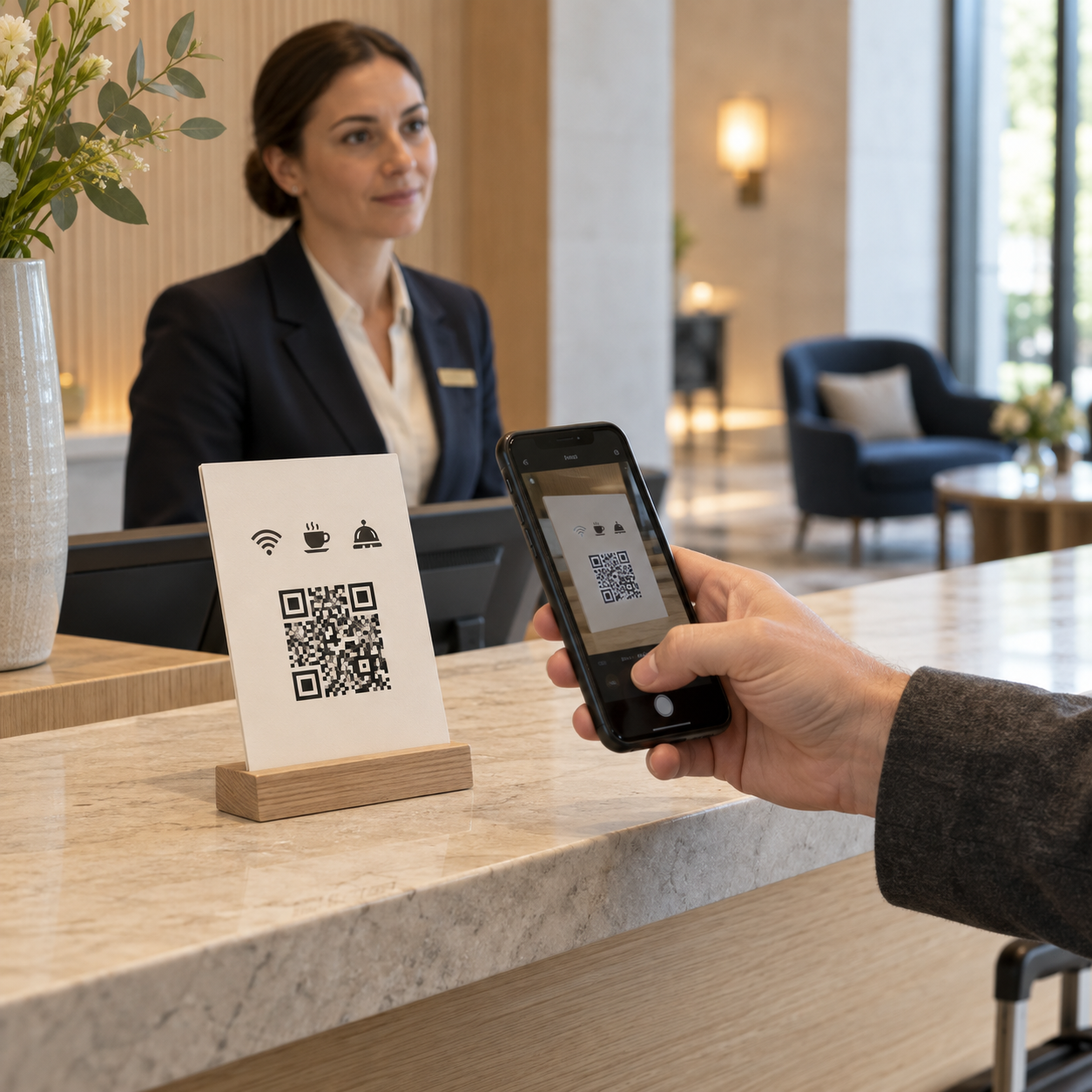
A QR code sitting on the front desk with a "Scan me" label is likely to go completely unnoticed.
To be useful, the guest must immediately understand why they should scan it and what they will find on the other side.
Whether at reception, in the room, or at the restaurant, needs vary. QR code placement should therefore follow the guest journey and lead directly to the information or service relevant to that specific moment.
Here is how to choose the right locations and the content to display after the scan.
The first question isn't "Where should I put the QR code?"
It is: "What action do we want to facilitate at this location?"
A QR code can allow a guest to view information, book a service, contact the team, or discover an amenity. It does not need to fulfill all these functions at every location.
This logic aligns with hotel communication organized around the guest journey : the content and the channel must match the traveler's needs at the right time.
Before printing any materials, define these three elements:
The wording placed next to it is just as important.
“Wi-Fi, hours, and hotel services → Scan here” provides a clear reason to use the QR code.
After scanning, the experience must also be immediate: mobile-friendly page, fast loading, and easy-to-identify information.
Finally, whenever possible, choose a destination that you can update without having to reprint all your materials. If your content changes, the QR codes already installed in the establishment should remain usable.
Upon arrival, guests receive a lot of information in a short amount of time: breakfast hours, Wi-Fi, parking, available services, check-out procedures…
It is therefore normal that they won't remember everything.
A QR code placed at the front desk can provide them with a single access point to find this information later from their phone.
Clear wording is all it takes, for example:
Find all the useful information for your stay here
After scanning, the guest can access a digital room directory featuring the hotel's hours, services, amenities, and practical information.
This QR code can be presented at check-in to supplement the team's explanations. This way, guests know where to find information later without having to memorize everything upon arrival.
The room is where guests most need to quickly find information related to their stay.
A QR code can give them access, right from their phone, to Wi-Fi, breakfast hours, hotel services, available amenities, or even local recommendations.
The goal is not to accumulate content, but to group together what is truly useful in a room directory designed for the guest experience.
Guests must also be able to easily contact the team when information isn't enough: for room issues, special requests, or if they are dissatisfied.
The same space can therefore offer access to messaging with the front desk or to VoIP telephony.
The QR code thus becomes a gateway to stay information while maintaining simple contact with the hotel when needed.
In transit areas or locations associated with a specific service, the QR code does not need to link to the entire room directory.
It can lead directly to the most relevant information or action.
In the elevator, for example:
Check spa availability.
At the restaurant:
View the menu, opening hours, and booking details.
At the spa entrance:
View treatments, pricing, and availability.
This approach saves the guest from having to scan and then search again for the information they need.
It can also boost upselling. A spa treatment, breakfast, late check-out, or a local experience are more likely to be discovered when presented in a relevant context.
The extras offered to the guest can thus be integrated into the journey based on the traveler's profile and the timing of their stay.
The QR code then becomes a shortcut between a desire and the corresponding service.
To build the system, start with the guest's likely needs at each location.
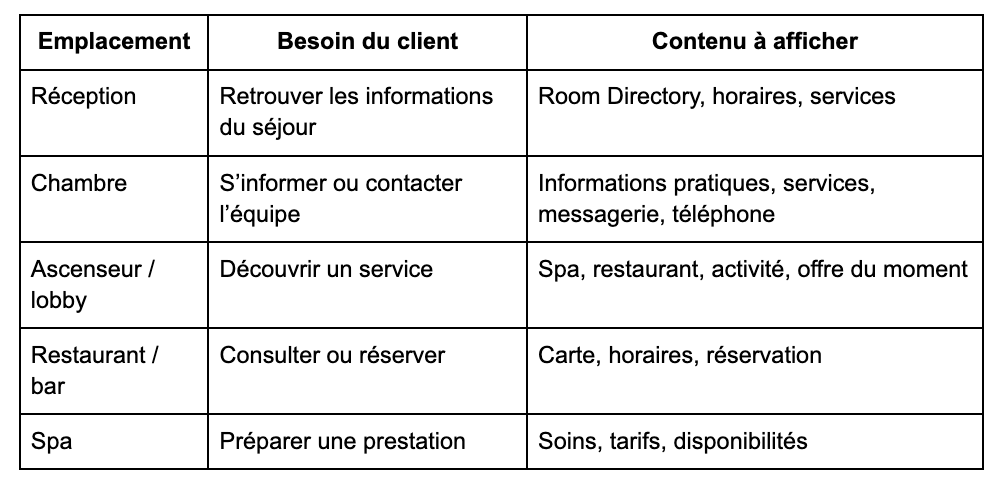
There is no need to create a different interface for every location.
A single digital environment can centralize information and services, while directing the guest to the most relevant content based on where they scan.
A Hotel Guest App can bring together information, services, and contact methods in a single space accessible throughout the stay.
To encourage usage, access points can be complementary: QR codes at reception or in the room, as well as links sent before arrival or integrated into stay-related communications. The best practices for increasing the use of a Room Directory or Guest App provide further insight into this topic.
Once QR codes are in place, the number of scans provides an initial indicator. However, the behavior that follows is even more insightful.
If the QR code in the room primarily leads to Wi-Fi or breakfast information, that content should be made particularly prominent.
If the one in the elevator leads to spa inquiries or bookings, its placement is effectively meeting the intended use.
Conversely, a QR code that is rarely used can reveal several things: poor visibility, an unclear message, or content that simply doesn't interest the guest at that location.
Analysis allows you to adjust placements and content rather than blindly adding new QR codes.
It also helps you better understand traveler needs during their stay. Facilitating this access to information and services contributes more broadly to guest satisfaction in the hotel.
GetWelcom allows you to group hotel information and services into a digital Room Directory accessible via QR code, with no download required, with content that can be updated from the back office.